
IPTV Player for iPhone, iPad & Apple TV
Your TV. Every sport.
One app.
A proper TV guide, every fixture and score, and the channel showing it. The IPTV app for iPhone, iPad and Apple TV, for your Xtream Codes or M3U playlist.

iPhone
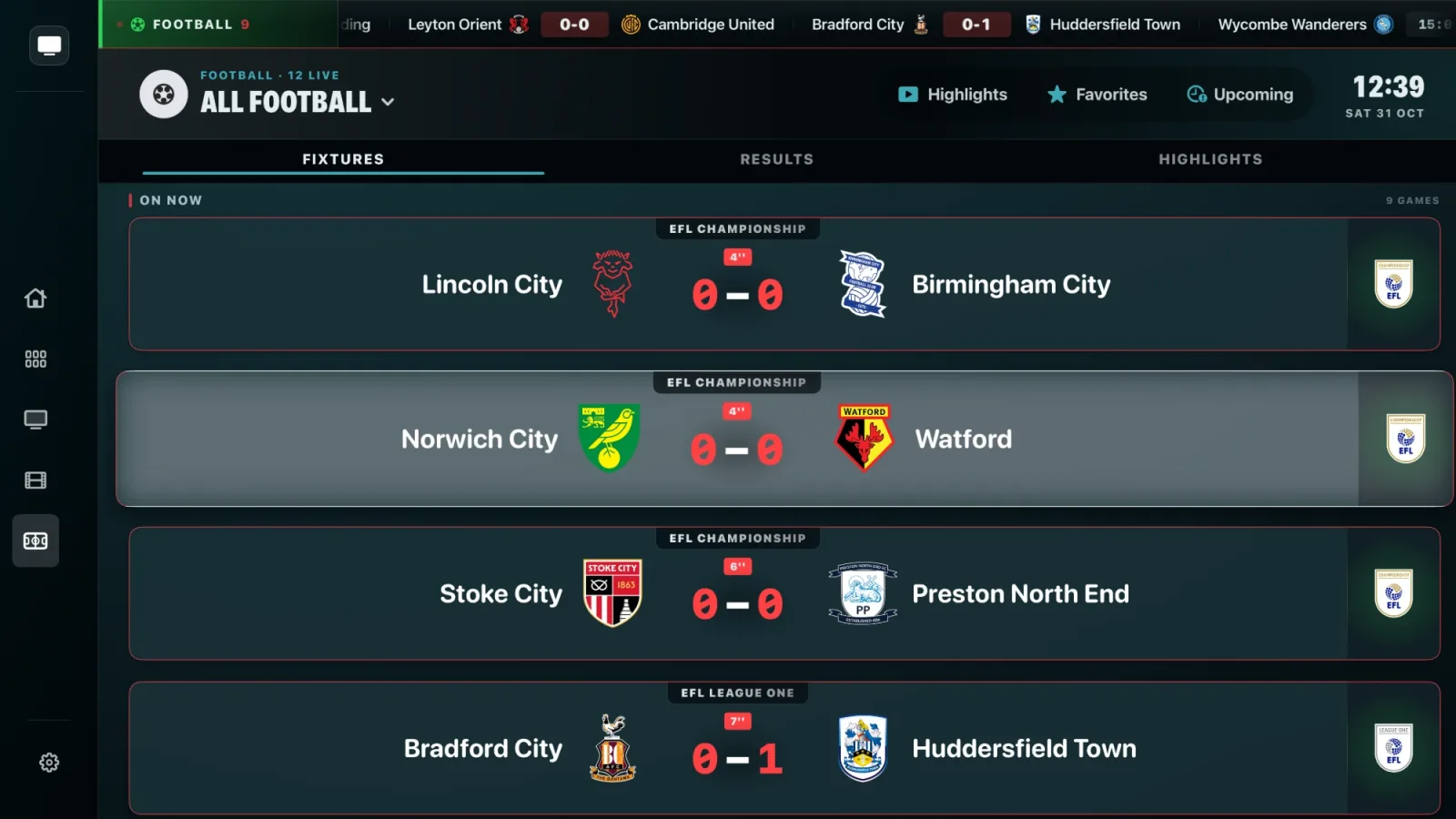
Every fixture. Every score. Live.
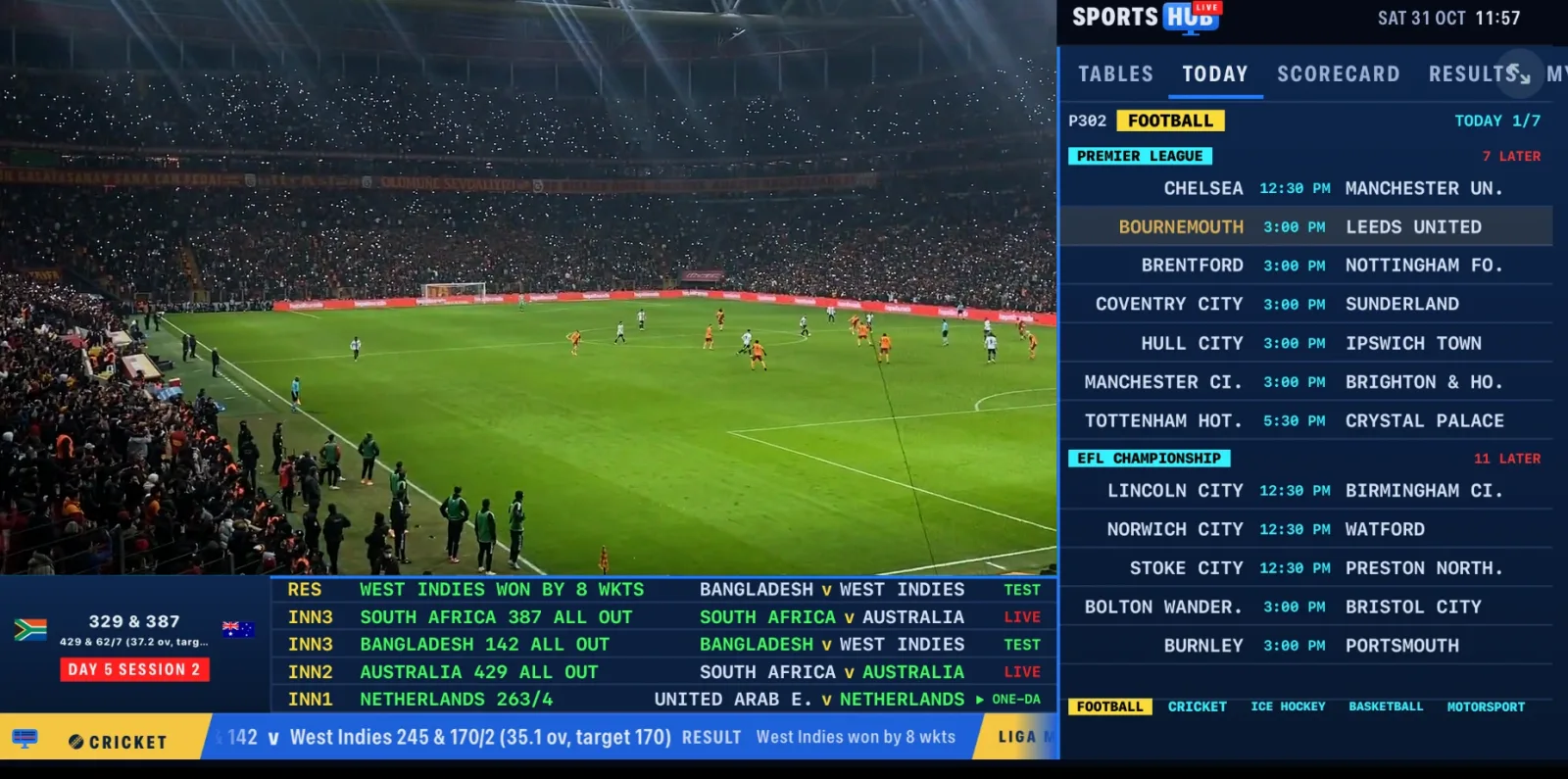
Football, cricket, basketball, F1 and more, with the channel showing it one tap away.
- Tap a game. We find the channel.Your whole playlist searched, official broadcasters first.
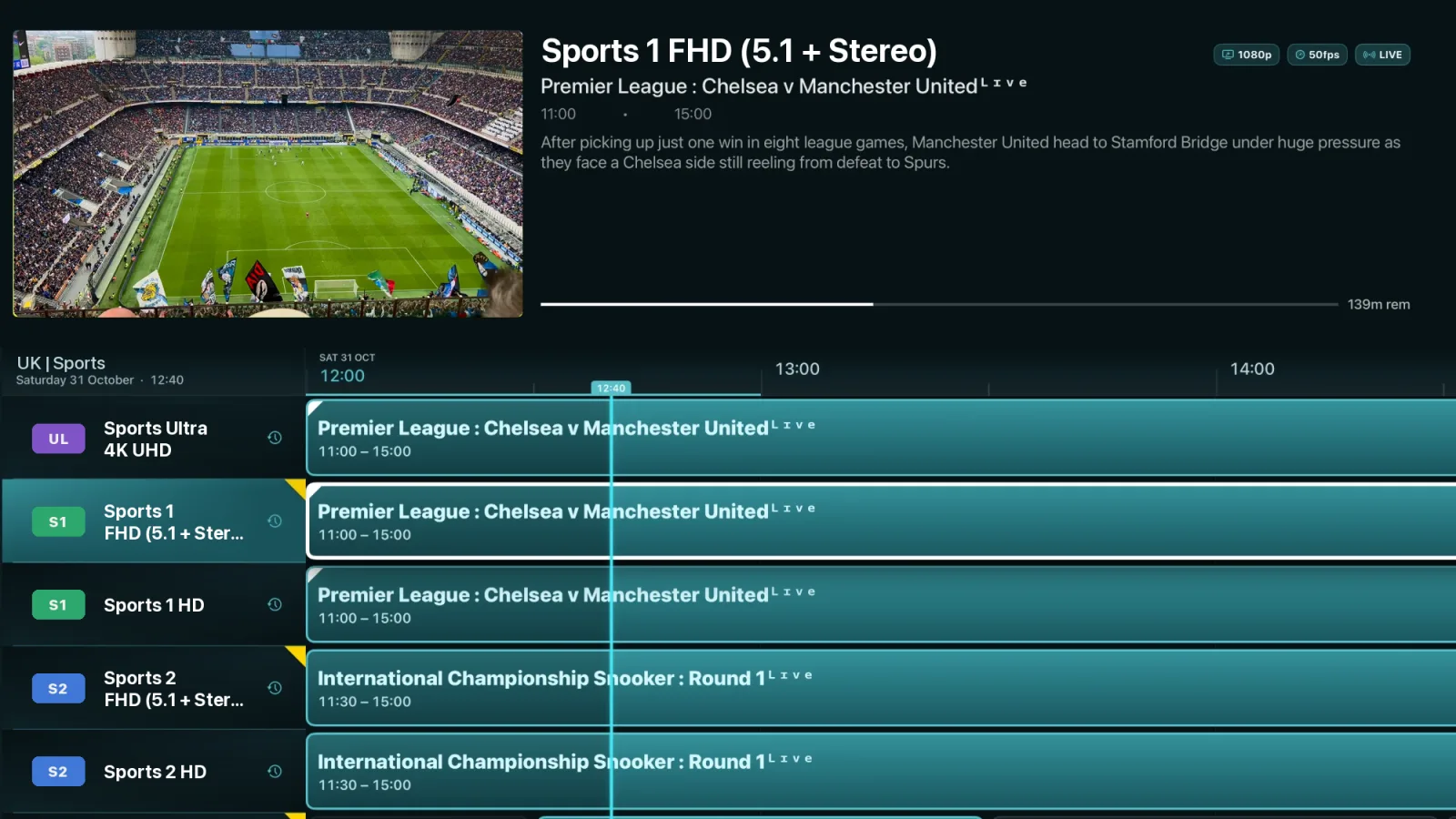
- Your TV guide, done properly.Watch while you browse, catch up and set reminders.
- Missed the game? Watch it back.Spoiler-free highlights for every sport you follow.
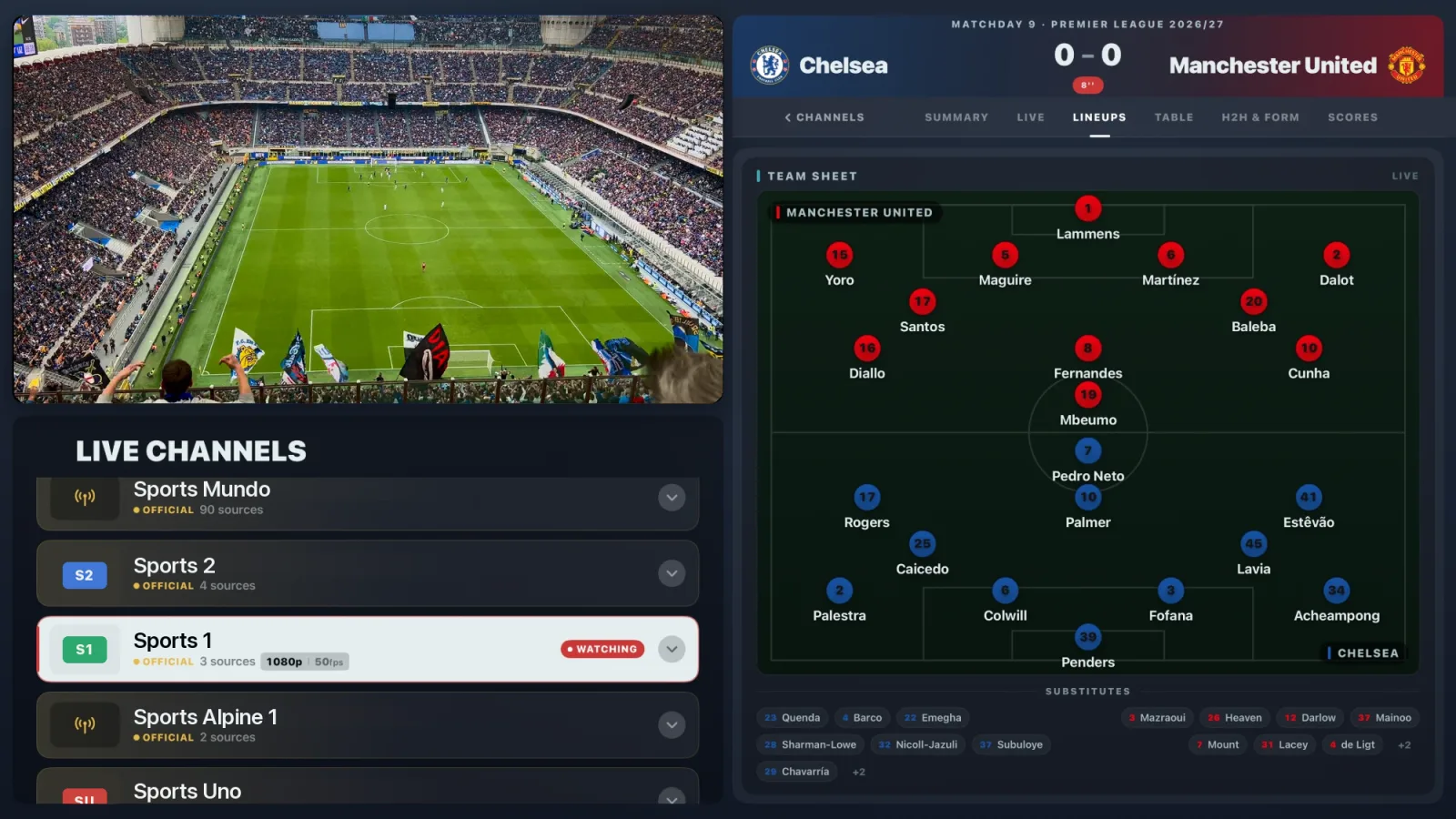
- Team news, the moment it lands.Line-ups, stats and head-to-head for every game.
iPad
Watch the game. Follow every stat.
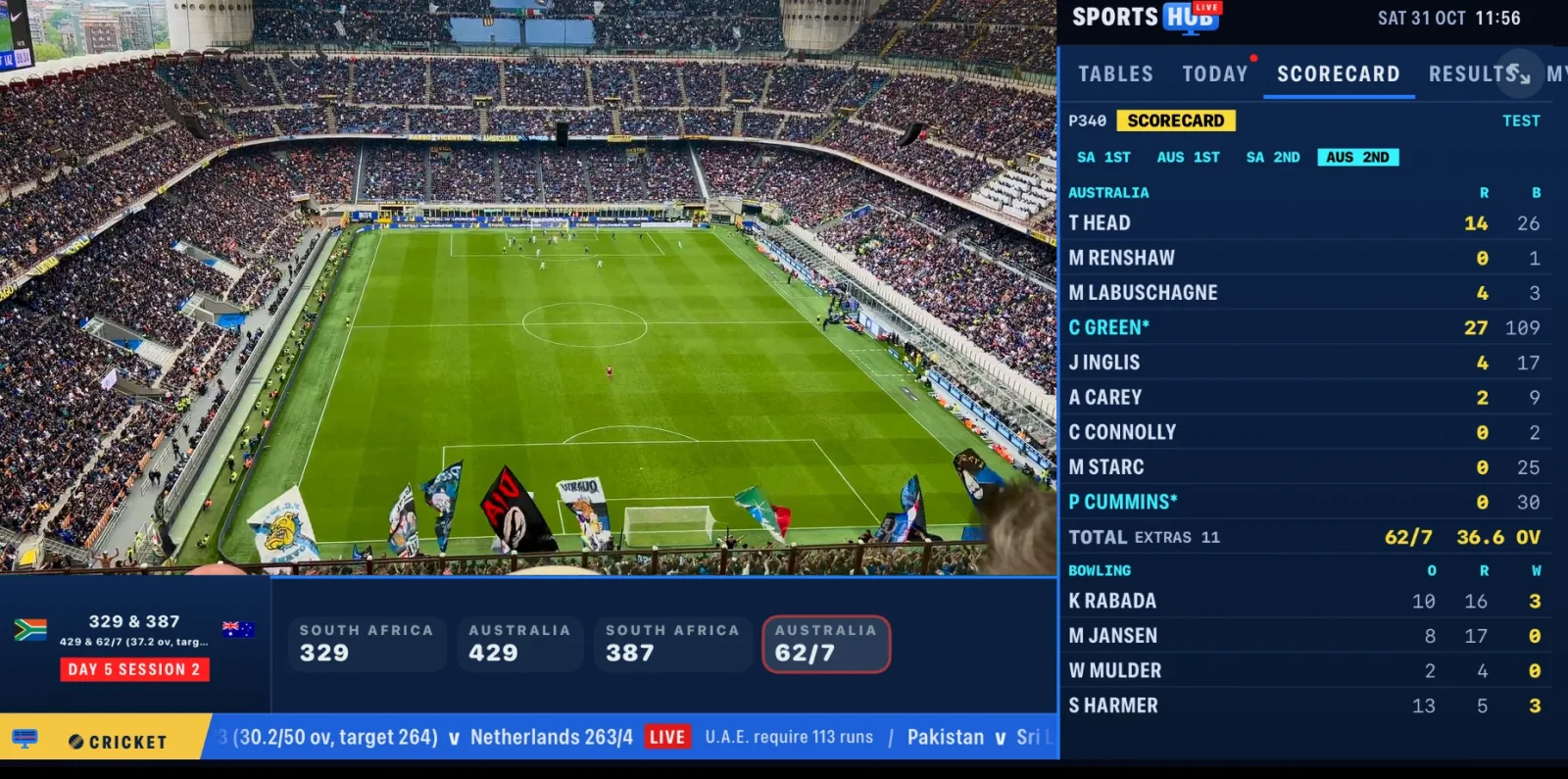
Live stats, tables and line-ups beside the picture. Or four games on one screen.
Apple TV
Made for the big screen.
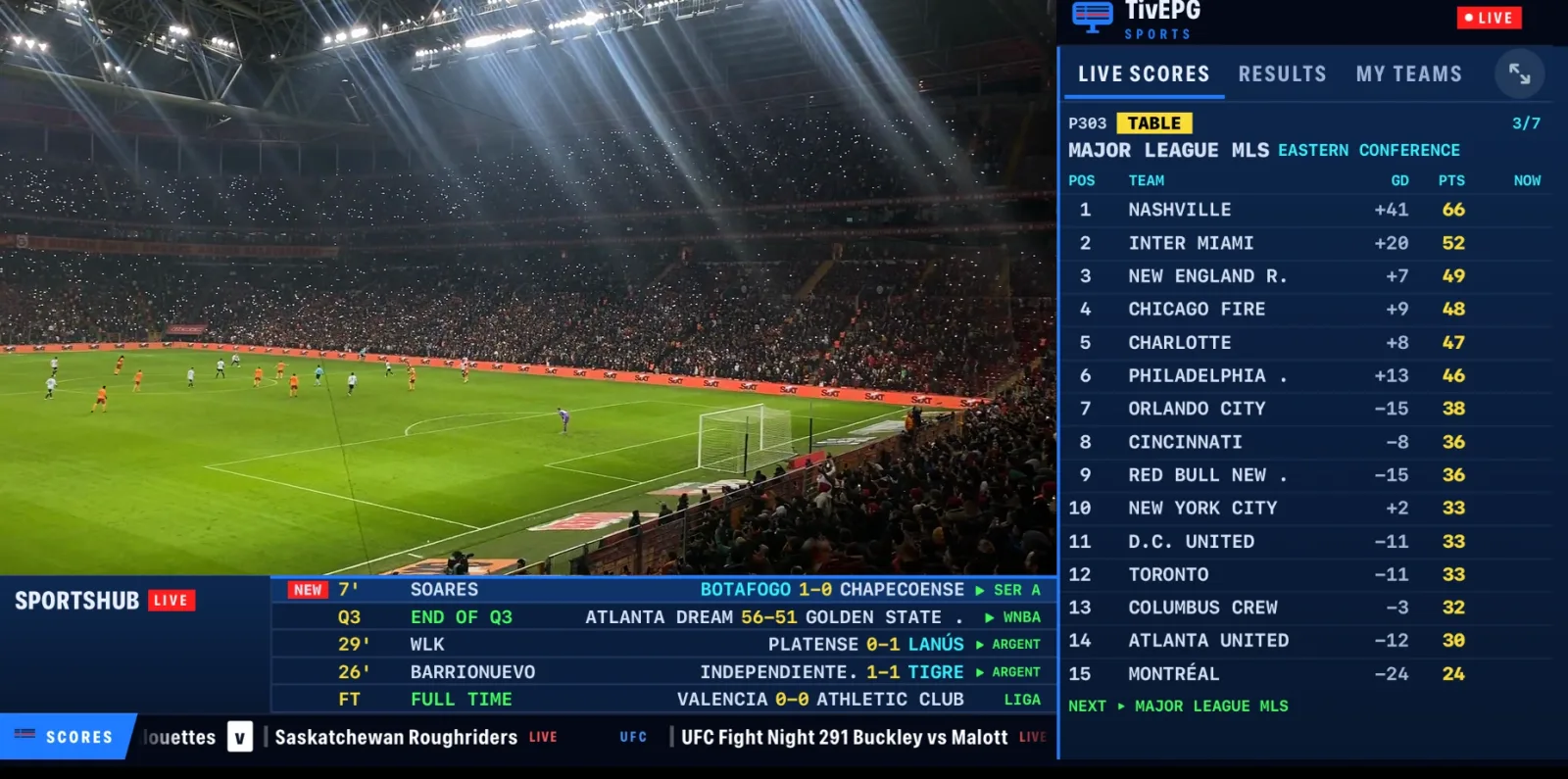
A guide that feels like TV, a Sports Hub built for the remote, and the match centre right beside the game.
Key features
Easy to miss. Hard to live without.
The best bits of TivEPG don't shout about themselves. Here's what they do and where to find them.
- 01
Replay
Missed the goal? Press it and TivEPG rewinds your channel's catch-up to just before it, then takes you back to live.
Find itSportsHub Live → Replays, or the Replay tab on a match page
- 02
No spoilers
IPTV runs up to a couple of minutes behind. TivEPG reads the clock on your picture and holds every goal until it happens on your screen.
Find itHappens by itself when you watch a match. Look for SYNCING
- 03
SportsHub Live
The picture slides into the corner and live tables, stats, line-ups and every other score wrap around it.
Find itPlayer controls → SportsHub Live, on any channel
- 04
Multiview
Up to four games on one screen. Pick which one you hear.
Find itHold a channel in the guide → Add to Multiview
- 05
Full Match
Missed the whole game? If it went out on a channel with catch-up, TivEPG plays it from kick-off.
Find itSports Hub → Highlights → a finished game
- 06
Spoiler-free highlights
Scores stay hidden until you've watched the game.
Find itHighlights → Hide scores
- 07
Live Activities
Follow your team's score on the iPhone Lock Screen and Dynamic Island, even with the app closed.
Find itTurn on Live beside a team in your Sports Hub favourites
- 08
TivEPG Remote
Set up a family member's TV from your browser. They read you a 6-digit number and you do the rest.
Find itSettings → TivEPG Remote, then tivepg.com/help

Guides
IPTV on Apple, explained.
IPTV app for iPhone
What you get on iOS and how to add your playlist.
IPTV app for Apple TV
A full-screen guide built for the Siri Remote.
IPTV app for iPad
Multiview and live stats on the bigger screen.
TiviMate for iPhone?
TiviMate is Android only. Here's the Apple alternative.
How to watch IPTV on iPhone
Xtream Codes and M3U set-up, step by step.
Best IPTV players
The popular iPhone and Apple TV players compared.
FAQ
Good to know.
Which sports does TivEPG cover?
Football, cricket, tennis, golf, Formula 1, NFL, NBA, NHL, MLB, rugby, AFL, darts, snooker, cycling, MotoGP, UFC and boxing. Every one gets fixtures, results and the channels showing it in your playlist.
Which sports have live data I can use while I watch?
- FootballLive stats, line-ups and formations, match timeline, live league tables, form and head-to-head, knockout brackets, highlights
- CricketLive scorecards, batting and bowling figures, session-by-session state, Tests, ODIs, T20s and franchise leagues
- NFL, NBA, NHL, MLBBox scores, team and player stats, live standings, playoff brackets and series state
- Formula 1Live running order and gaps, session results for practice, qualifying and the race
- TennisLive scores and the full tournament draw for ATP and WTA events
- GolfLive tournament leaderboards across the PGA Tour, DP World Tour and LIV
- BasketballNBA, WNBA, EuroLeague and more, with live box scores
It all sits beside the picture in SportsHub Live and the Match Centre, so you never leave the game to check a score.
What can I do while a game is on?
Open live stats, tables and line-ups beside the picture, follow every other score on the ticker, jump back to key moments with Replay, or put up to four games on screen with Multiview.
Does TivEPG include channels?
No. TivEPG is a player. Add your own Xtream Codes login or M3U playlist and it builds your guide, channels, movies and series from that.
Which devices does it run on?
iPhone, iPad and Apple TV, with a native app on each.
How does channel matching work?
Pick a fixture in the Sports Hub and TivEPG searches your whole playlist and guide for the channels showing it, putting the official broadcasters first.
Is it a TiviMate alternative for Apple TV?
Yes. TiviMate is Android only. TivEPG gives iPhone, iPad and Apple TV a full EPG guide, catch-up, Multiview and a built-in Sports Hub.
Can I set up TivEPG for someone else?
Yes. They open Settings and choose TivEPG Remote, then read you the 6-digit number. Go to tivepg.com/help, enter it, and you can sort out their playlists, channels and Sports Hub from your browser. It's encrypted end to end and needs no accounts.
Where do I get help?
Join the Discord community or visit Support.
Kick-off is waiting.
TivEPG is a player only. No channels, streams or subscriptions are included.